image discription Available on the Mac App Store

Money

Buy Now! Download Free Trial

Your sweetest accounting application.
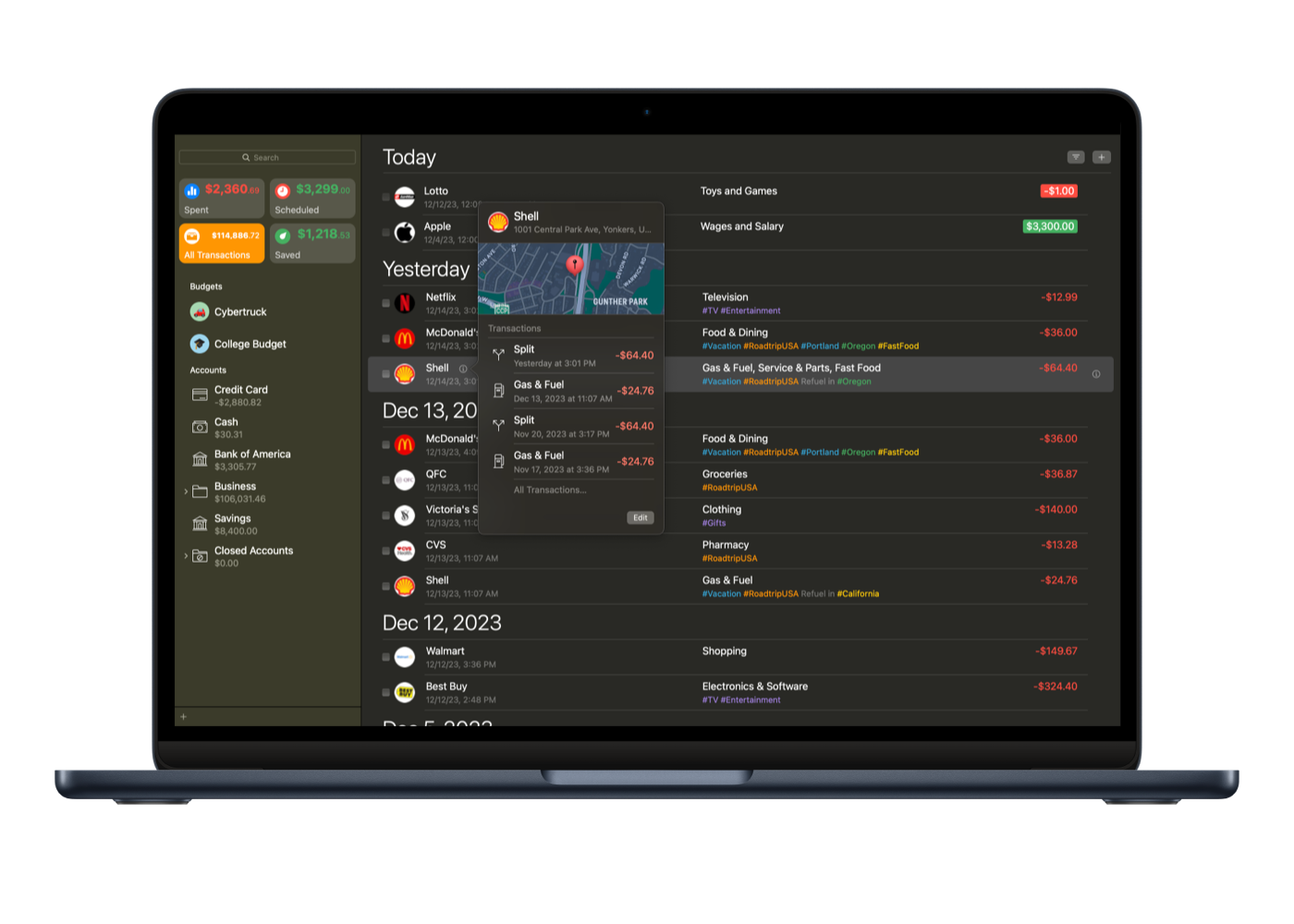
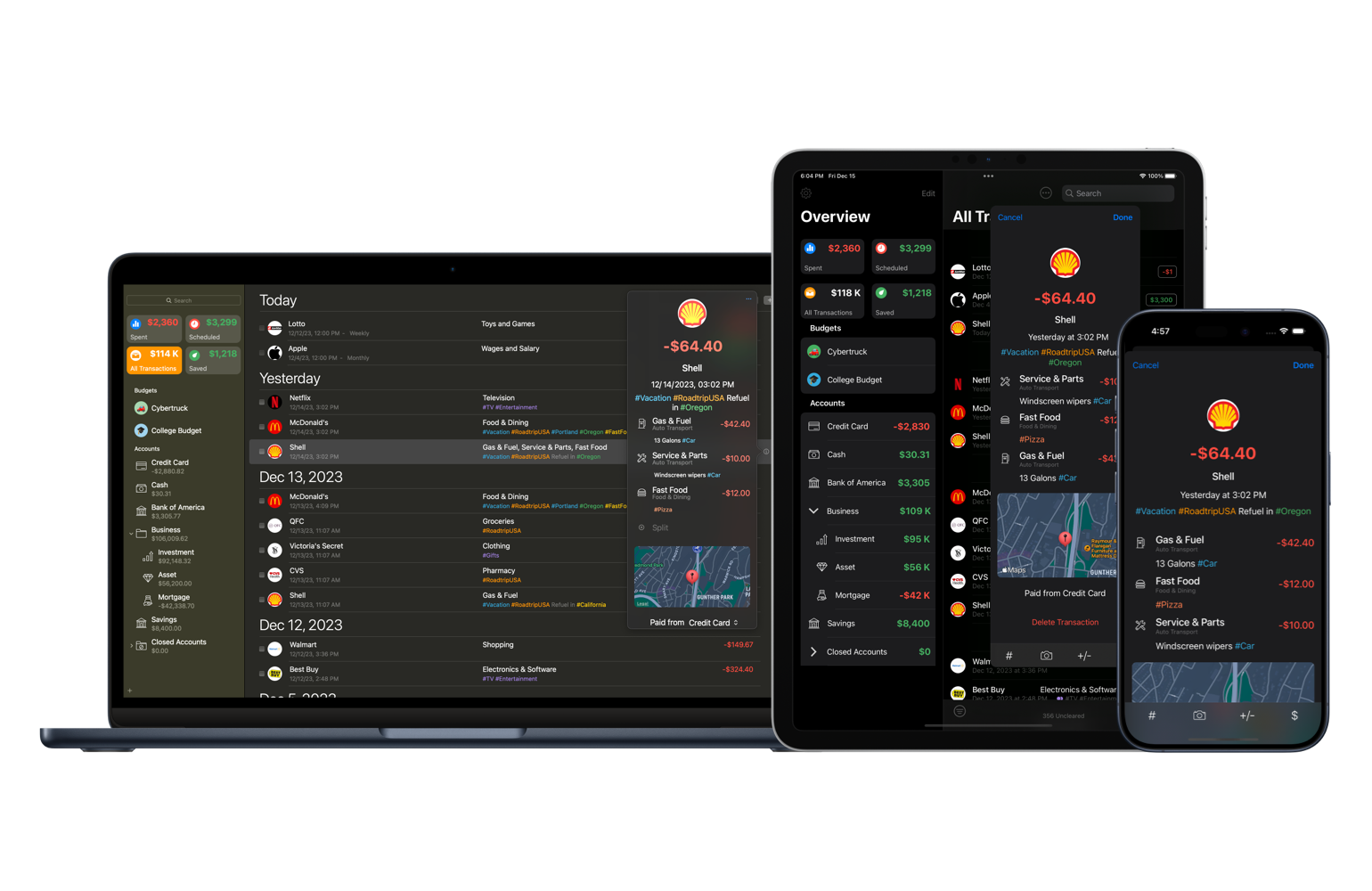
Money 4 presents a powerful, comprehensive, and intuitive system designed to help you keep control of your financial life. Oversee your account balances, track investments, keep budgets, and manage your bank accounts, credit cards, loans, assets, and cash. Do it all in a straightforward and stylish interface.

  • image discription

    Different Accounts

    Create separate accounts for your bank accounts, cash, credit cards, investments, assets, and loans to balance your accounting with grace.

  • image discription

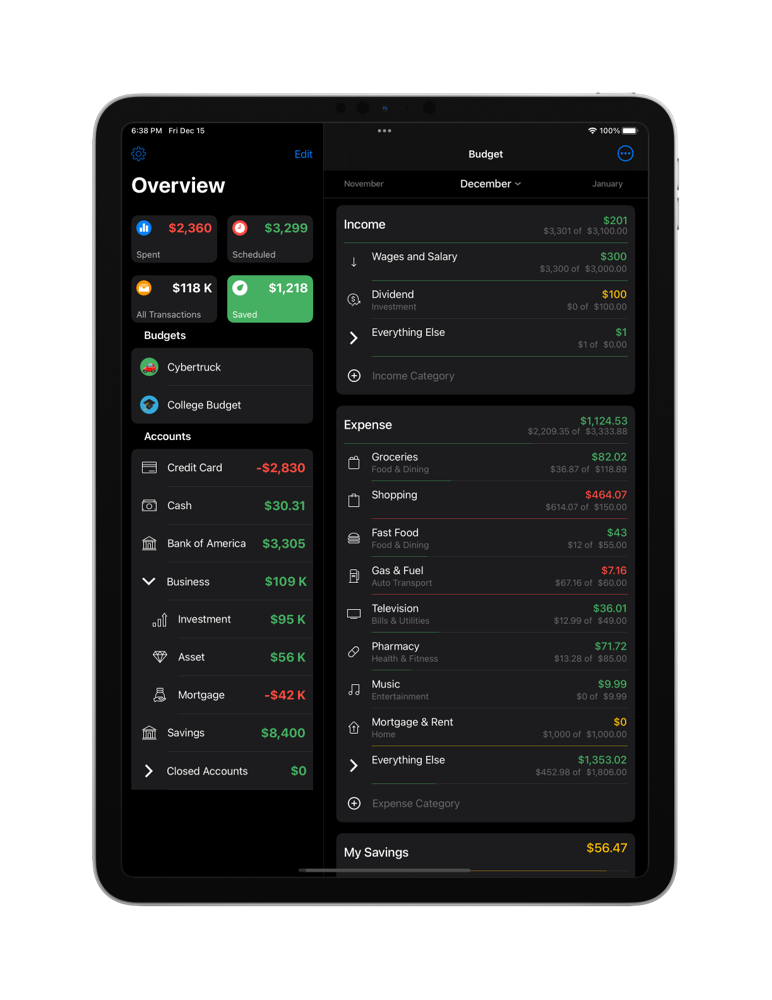
    Easy Budget

    Set your target revenues and expenses for each month. Afterwards, compare your targets with the actual outcome with the Budget Monitor bars.

  • image discription

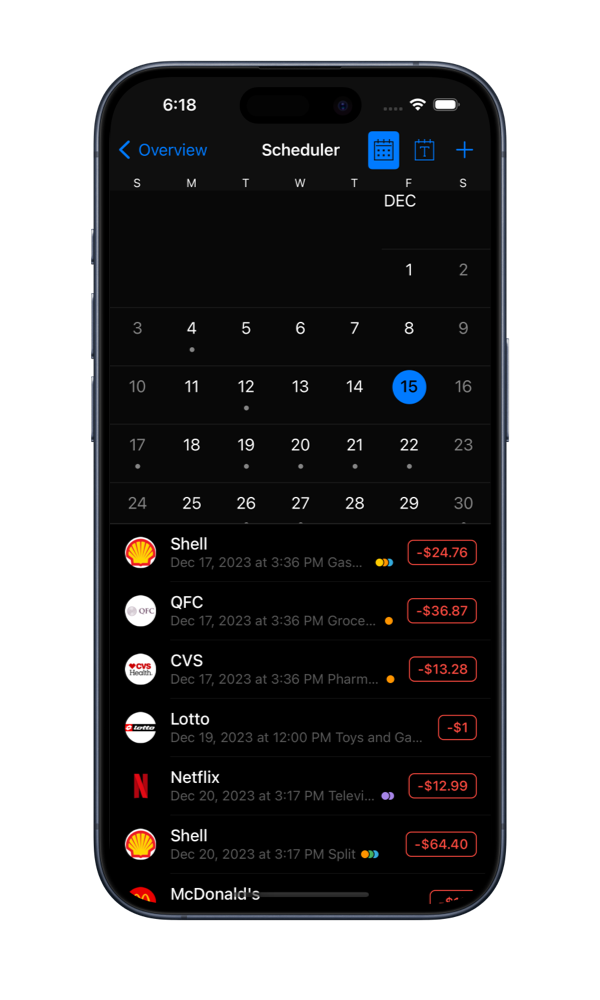
    Smart Scheduler

    Set up recurring transactions for payments that occur on regular basis. Money can add them automatically without you even noticing.

  • image discription

    Investment Tracking

    Use the Portfolio feature to get a well-rounded view of all your investment accounts as well as the latest market information.

  • image discription

    Foursquare Integration

    Find your payees in a twinkling of an eye with the new feature powered by Foursquare: a list of all nearby businesses to choose from.

  • image discription

    Multiple Data Files

    Money stores all financial data in documents of a special type. Therefore, several users can use the same application and have separate data files.

  • image discription

    Advanced Reports

    Money offers 13 types of reports, including Spending by Category, Net Worth, and more. See your financial situation appear right before your eyes.

  • image discription

    Direct Downloading

    Money allows you to connect directly to hundreds of financial institutions via the Internet and update your accounts automatically.

  • image discription

    Check Printing

    Generating checks based on the transaction information you enter and conveniently printing them will save you a considerable amount of time.

  • image discription

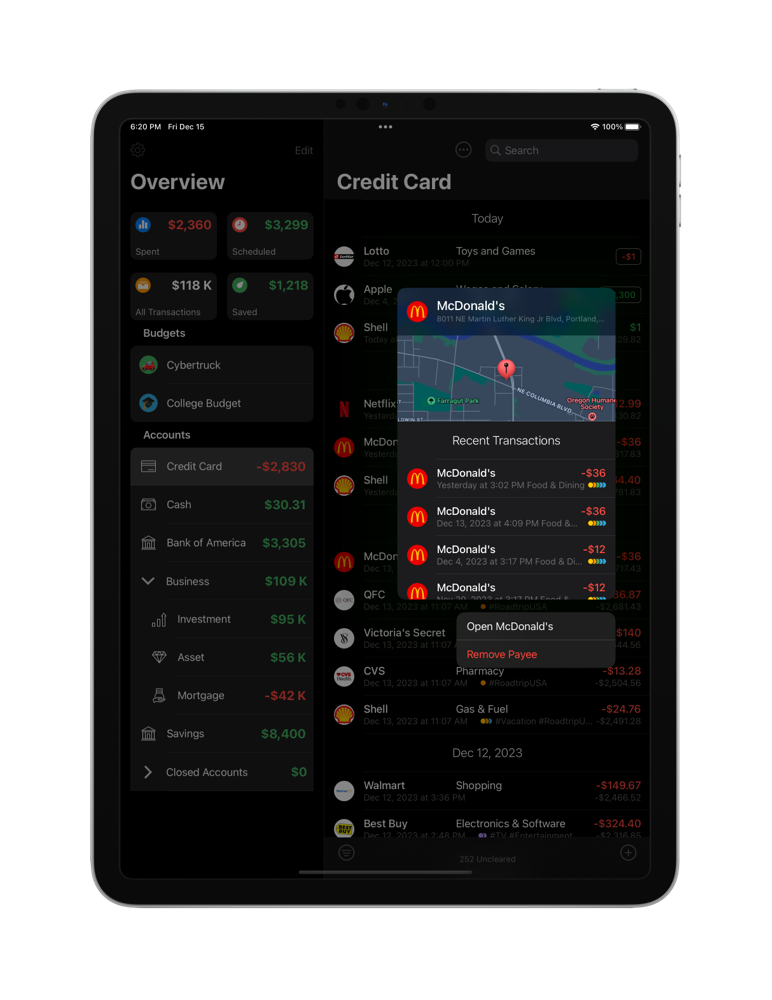
    Convenient Payees

    You can import your payees from Contacts, assign income or spending categories and specific locations to them, and view them in a map.

Money 4 is fully compatible with OS X Lion and supports its latest features, including Versions and Full-Screen.

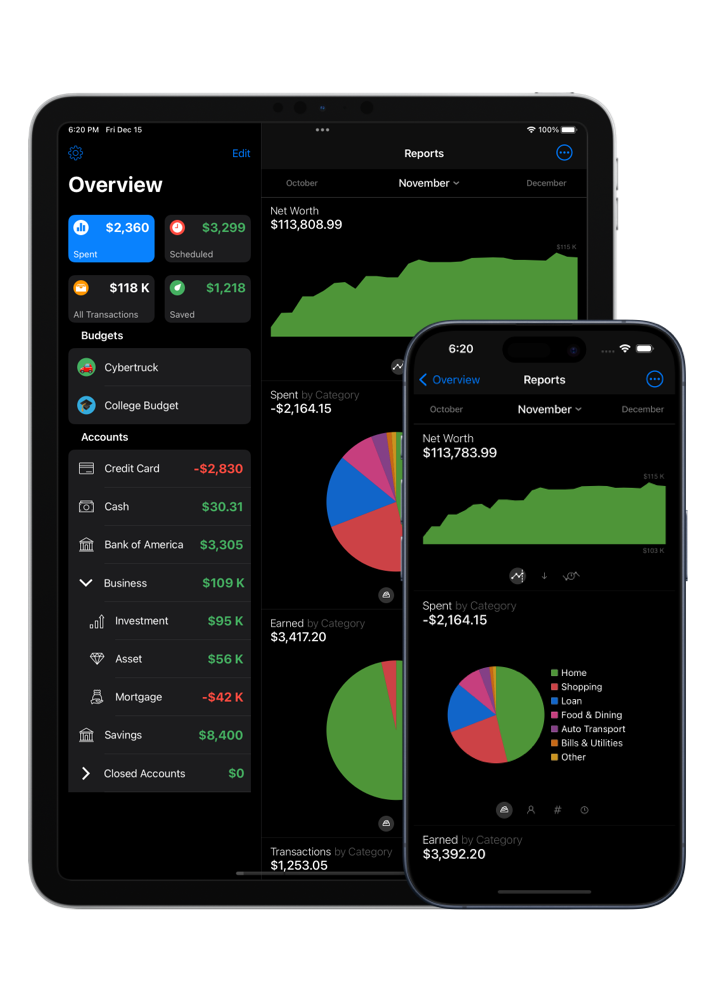
Accounting and financial management can be easy even when you are on the go. Money for iPhone 2.0 is an easy-to-use, yet effective, tool for finance management on the iPhone 4.0 platform. Track your transactions to and from your wallet, bank accounts, or credit cards. Manage your scheduled transactions. Categorize your income and expenses. Most important, do not feel restrained by your desktop computer–you can perform even the most advanced tasks on your iPhone.

  • image discription

    Multi – Purpose Accounts

    Create different types of accounts for your cash, bank accounts, credit cards, and assets to keep track of transactions to, from, and among them.

  • image discription

    Easy Budgeting

    Set up multiple budgets to keep track of your financial habits. The colorful bars will remind you when it is best to hold back from new purchases.

  • image discription

    Remember Your Bills

    Enter your fixed utility or insurance payments and create scheduled transactions. When the due date comes, an alert sign will remind you of the bill to be paid.

  • image discription

    Foursquare Integration

    You can add your payees on the go with Foursquare. Each time you enter a transaction, a list of all nearby businesses pops up.

  • image discription

    Multiple Currencies

    Choose the default currency to be used throughout the entire application and a number of operational currencies that can be used in different accounts.

  • image discription

    Key Info in Reports

    View combined and organized data, presented in convenient graphs and tables, analyze your results, and determine the areas for improvement.

  • image discription

    Syncing with Money for Mac

    Sync your Money for iPhone with the desktop version of Money. Transfer your financial data and transaction categories. Be as flexible as you wish to be.

  • image discription

    Advanced Payees

    Import your payees from Contacts, assign income or spending categories and specific locations to them, and view them in a map.

Requires iOS 5.0 or later.

Keeping your finances in check may be hard, but the first move is always to keep records of what and how you earn and spend. Money for iPad is a trouble-free, yet effective, tool for keeping track of financial transactions and budgeting on the versatile iPad platform. Always know exactly how much money is left in all your accounts and your wallet. Create detailed text or chart reports easily and see where your money went. Never miss your bills to be paid. Do not feel restrained by your desktop computer–you can perform all the essential finance management tasks on your iPad.

  • image discription

    Diverse Accounts

    Create separate accounts for your cash, bank accounts, credit cards, and assets. Keep track of transactions to, from, and among them without difficulty.

  • image discription

    Budget Matters

    Create a monthly budget and then check the Budget Monitor bar regularly to compare your projections with the actual result.

  • image discription

    Schedule Your Bills

    Enter your fixed utility or insurance payments and create scheduled transactions. When the due date comes, an alert sign will remind you of the bill to be paid.

  • image discription

    Foursquare Integration

    You can add your payees on the go with Foursquare. Each time you enter a transaction, a list of all nearby businesses pops up.

  • image discription

    Compatible With Retina

    Have a good view of your transactions, budgets, and reports in the impeccably clear retina display of your third-generation iPad.

  • image discription

    Multiple Currencies

    Choose the default currency to be used throughout the entire application and a number of operational currencies that can be used in different accounts.

  • image discription

    Report Analysis

    See aggregated and sorted data, displayed in convenient graphs and tables, analyze your performance, and identify the areas for improvement.

  • image discription

    Syncing with Money for Mac

    Sync your Money for iPad with the desktop version of Money. Transfer your financial data and transaction categories. Be as flexible as you wish to be.

  • image discription

    Advanced Payees

    Import your payees from Contacts, assign income or spending categories and specific locations to them, and view them in a map.

Requires iOS 5.0 or later.